If your Bug Egg vanished in Grow a Garden, it almost certainly did not just disappear into thin air. The most common explanations are that the egg hatched and the pet is sitting somewhere on your plot, the egg got consumed as part of a breeding or incubation step, or a UI/sync issue is hiding it from your inventory view. This guide walks you through every likely cause, exactly where to look right now, and a step-by-step checklist to confirm what happened, so you can either recover your bug egg or know for certain it is gone. [seagull grow a garden bug](/egg-hatching-guide/seagull-grow-a-garden-bug). new bug egg grow a garden
Why Did My Bug Egg Disappear in Grow a Garden

Julian Russo
24 Mar 2026
What the Bug Egg actually is in Grow a Garden
The Bug Egg is a specific pet egg item in Grow a Garden that hatches into bug-themed companion pets. One of the most notable outcomes from the Bug Egg is the Dragonfly, including the rare Divine-tier Dragonfly variant. The egg itself has a base hatch time of 8 hours once placed, making it a mid-range time investment compared to some of the faster common eggs. When players ask about the Bug Egg disappearing, they are almost always referring to this specific egg item, not a generic glitched or bugged egg. Knowing exactly what it is matters because its hatching behavior and placement rules are specific, and that context shapes every troubleshooting step below.
The most likely reasons it disappeared
Before you assume something went wrong, it helps to know the normal reasons an egg stops showing up where you expect it. Most disappearances fall into one of these categories.
It hatched and the pet is on your plot
The most common scenario: the egg completed its 8-hour timer, hatched, and the resulting pet is now sitting on your garden plot. The egg is consumed in the process, which is why it is gone from your inventory. The pet can be easy to miss if your garden is dense with plants. Players specifically report that eggs and newly hatched pets get hidden behind or underneath tall crops, so it genuinely looks like nothing is there until you walk around and look from different angles.
You placed it but the timer has not finished
Once you equip a Bug Egg from your inventory and place it on a plot space, it leaves your inventory and sits physically in the garden as an object with a progress bar. If you placed it and then checked your inventory expecting it to still be there, it will not be. You need to walk around your plot and look for the egg sitting on the ground. standing near it should reveal a hatch progress indicator
Inventory slot limits or storage pushed it out of view
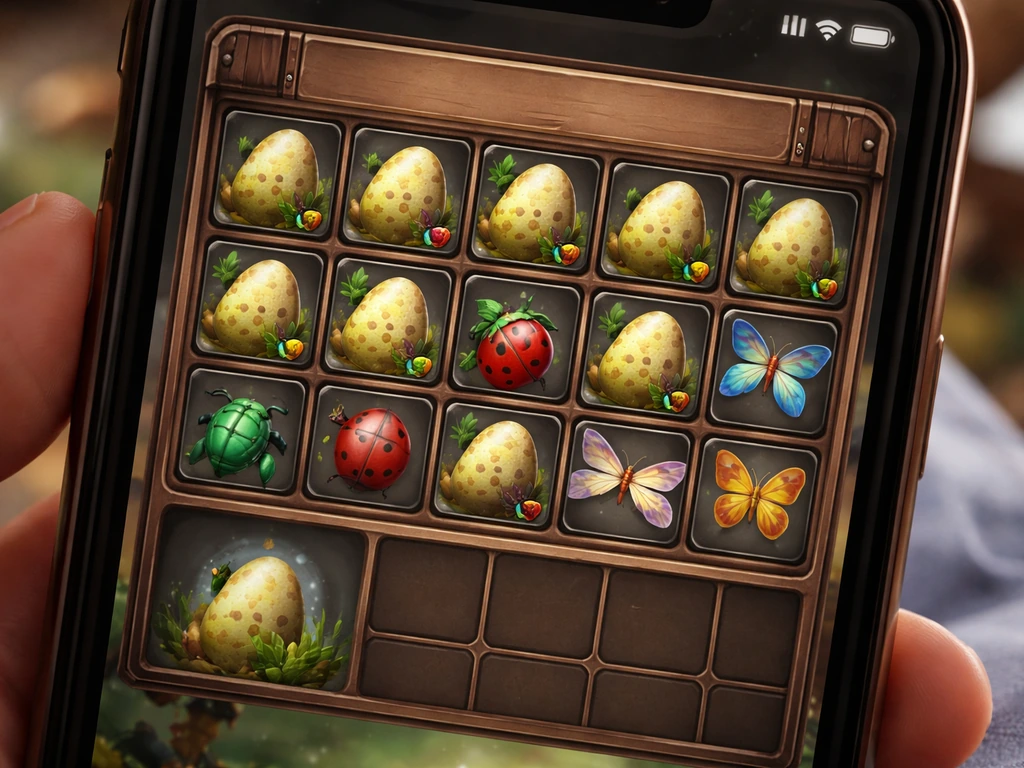
Grow a Garden has egg slot limits. You can expand your egg capacity by purchasing upgrades in the Ascension shop, with one reported upgrade adding 5 extra slots. If your inventory is at capacity and you somehow acquired another egg, the UI can behave unexpectedly. It is also worth checking whether you have any eggs sitting in an incubator, which is a separate storage and processing mechanic that removes eggs from your main inventory view.
The incubator consumed or moved it
The Pet Incubator is a gear item that reduces hatch time and processes eggs separately from the normal plot placement method. If you own an incubator and the egg was assigned to it, the egg will not appear in your inventory or on your plot. It is in a separate queue inside the incubator interface. This trips up a lot of players who forget they loaded an egg into it earlier.
A sync or load issue is hiding it
Grow a Garden runs on Roblox servers, and save state sync is not always instant. Players consistently report that eggs seem to disappear after purchase or after placing them, only to reappear after rejoining the server or switching plots. A purchase sync glitch can make an egg look like it never arrived in your inventory even when the transaction went through. A mid-load visual glitch can make your garden look empty when eggs and pets are technically present. These are not permanent losses in most cases.
Plot switching and timer behavior
Egg timers in Grow a Garden are tied to the plot and save state. If you switched plots or logged out at a specific time, the egg timer can behave unexpectedly, sometimes appearing to reset or show a different status on reload. Community reports have flagged that eggs can suddenly appear 'ready' or show altered progress after a plot switch, which can make it seem like the egg is gone when it is actually in a different state than expected.
Where to actually look for it right now
Do not give up on the egg until you have checked all of these locations systematically.
- Your main inventory: Open it and scroll through every slot, including any secondary or overflow pages. Check that no filter is hiding egg items.
- Your garden plot, physically: Walk every corner of your plot. Crouch-level your view and look around tall plants. The egg sits as a visible object on the ground with a progress bar when you are close.
- The Pet Incubator interface: If you own one, open it and check whether the Bug Egg is in the incubator queue.
- Your other plots: If you have multiple garden plots unlocked, check each one. An egg placed on the wrong plot will not show up when you are viewing a different one.
- The hatched pet area: After an egg hatches, the resulting pet appears on your plot near where the egg was. Check your active pets list and scan your garden for a Dragonfly or other bug-type pet.
- Any 'ready' egg storage: Some unlock tiers and expansion mechanics let players store eggs that are ready to hatch separately. Check any storage UI you have access to.
- Game chat or activity logs: Some server events and notifications appear briefly in chat when a hatch completes. Scroll back through chat if you can.
Step-by-step checklist: do this now
- Rejoin the server first. Leave your current session entirely and load back into the game fresh. This resolves the majority of sync/visual glitch cases where the egg is technically present but not rendering or showing correctly.
- When the game loads, look at your garden before everything fully renders. Players report spotting eggs on the ground during the brief load window before plants fill in and obscure them.
- Open your inventory and scroll every page. Look specifically for the Bug Egg icon. Check that no item type filter is active that would hide eggs.
- Walk your entire plot at ground level. The egg is a physical placed object, not just an inventory entry, once you have placed it. It will show a progress bar when you stand next to it.
- Open the Pet Incubator if you own one and check the queue.
- Check each of your unlocked plots one by one if you have more than one.
- Look at your active pets list. If the egg already hatched, the Dragonfly (or other bug pet) should be there.
- If you bought the egg recently and it never appeared: check your currency balance. If coins or Robux were deducted and the egg is nowhere, this points to a purchase sync issue rather than an egg consumption issue.
- Switch to a different server instance (rejoin a new session) and check again. Sometimes a specific server's state is desynced and a fresh server resolves it.
- Screenshot every screen: inventory, plot, pets list, and incubator. You will need these if you end up filing a support ticket.
How hatching and breeding mechanics work (so this does not happen again)
Understanding the full egg lifecycle in Grow a Garden means you will always know where your egg is at every stage, and you will not mistake normal mechanics for a bug.
The placement step
To hatch a Bug Egg, you equip it from your inventory and then place it on a free space on your garden plot. The moment you place it, the egg leaves your inventory permanently and becomes a physical object on the plot. Its 8-hour countdown begins from that placement moment. There is no 'undo' once it is placed. If you are not ready to commit to a specific plot, do not place the egg yet. Keep it in inventory until you are sure.
Tracking progress
You track hatch progress by standing near the placed egg. A progress bar appears showing how far along the 8-hour timer is. If you want to check without being on the plot, you generally cannot see the timer remotely. This is why eggs seem to 'disappear': players place them, forget to check on the plot, and return to find either the egg mid-hatch or the pet already hatched and waiting.
Using the incubator correctly
The Pet Incubator reduces hatch time and processes eggs through its own interface rather than through plot placement. When you load an egg into the incubator, it is removed from your inventory and placed into the incubator queue. This is not a disappearance, but it absolutely feels like one if you forget you did it. Always check the incubator before escalating a disappearance to a possible bug.
Slot limits and capacity management
You have a limited number of egg slots by default. Extra slots are purchasable through the Ascension shop (one upgrade adds 5 slots). If you are regularly dealing with egg management, buying slot upgrades is worth it just to avoid confusion about which eggs are where. Running at capacity also increases the chance of UI glitches misrepresenting your inventory state, so keeping some headroom is a practical habit.
Avoiding interruptions during hatching
Egg timers can behave inconsistently around plot switching and server transitions. To minimize timer weirdness, avoid switching plots while an egg is mid-hatch if you can help it. Log out from the same plot you placed the egg on. If you must switch, check the egg's progress status immediately after returning to that plot to confirm the timer is still running correctly.
Signs it is probably a real glitch (not normal mechanics)
Most disappearances have a mechanical explanation, but some genuinely are game issues. Here is how to tell the difference.
| Scenario | Likely cause | What to do |
|---|---|---|
| Egg placed, 8 hours passed, no pet on plot and no egg visible | Possible hatch completion with pet hidden in foliage, or rare hatch failure glitch | Scan entire plot, check pets list, rejoin server |
| Bought egg, currency deducted, egg never appeared in inventory | Purchase sync glitch | Rejoin server, check inventory again, screenshot and file support ticket if still missing |
| Egg was in inventory, now gone without placement or hatching | UI desync, accidental placement, or rare data loss | Rejoin server, check plot and incubator, file support if confirmed missing |
| Egg placed, progress bar was visible, now egg and pet both gone mid-timer | Server/save state error during hatch | Rejoin server first, then file support with timestamps |
| Same egg keeps disappearing after multiple rejoins | Server-side data issue | File a support ticket immediately with screenshots and session details |
What to include in a support report
If you have gone through every check and the Bug Egg is genuinely gone with no explanation, you need to report it. Gather all of this before you submit:
- Exactly what you did right before the egg disappeared (placed it, bought it, loaded it into the incubator, switched plots, etc.)
- The approximate timestamp of when it disappeared, as specific as possible
- Your Roblox username and the server/game instance details if you have them
- Screenshots of your current inventory, your plot, your pets list, and your incubator queue
- Whether your currency balance reflects the purchase (if you bought it recently)
- Whether the issue happens consistently or was a one-time occurrence
- Your device type and whether you noticed any lag or disconnection around the time it happened
The more specific your report, the faster support can trace what happened in the game's logs. Vague reports of 'my egg disappeared' are very hard for developers to act on. Timestamped, specific reports with screenshots get resolved far more often.
Quick recap and what to do next
In nearly every case, a missing Bug Egg in Grow a Garden has a straightforward explanation: it hatched and the pet is hiding on your plot, it is sitting in the incubator queue, a server sync issue made it invisible, or it was placed and is mid-countdown on your garden. Rejoin the server, scan your full plot before plants render in, check your incubator, and look at your active pets list. Run through the full checklist above before assuming anything permanent happened. If the egg is definitively missing after all of that and your currency was deducted, file a support ticket with screenshots and timestamps. For more detail on what the Bug Egg hatches into and what abilities those pets carry, check out the dedicated guides on [Bug Egg abilities](/egg-hatching-guide/anti-bug-egg-grow-a-garden) and [Bug Egg pricing](/egg-hatching-guide/bug-egg-price-grow-a-garden) elsewhere on this site.
FAQ
How can I tell whether my Bug Egg hatched versus being lost?
If it hatched, the egg item is consumed, so you will not find the egg again in your inventory. Instead, look for the newly hatched bug-themed pet on your plot (it can be hard to spot in dense crops). A good quick check is to stand near the placement spot and look for the hatch progress indicator, then confirm the pet is present after the 8-hour timer completes.
Does the 8-hour Bug Egg timer reset if I log out or switch plots?
The egg starts counting down from the exact moment you place it on a plot space. If you log out or switch plots around that time, the timer can appear to change status when you return. To avoid confusion, return to the same plot you placed it on and re-check the hatch progress immediately after plants finish rendering.
I bought or placed a Bug Egg but it is not showing, what should I try first?
Yes, UI and sync issues can make it look like the egg never arrived, especially after purchases or when joining mid-session. Before treating it as permanent loss, rejoin the server, then scan your plot after loading completes. Also check your incubator queue and your active pets list, since the pet might already exist even if the egg UI looks empty.
Could my Bug Egg be in an incubator instead of my plot?
If you loaded the egg into a Pet Incubator, it is removed from your inventory and sits in the incubator queue, not on the plot. The only reliable way to confirm is to open the incubator interface and check the egg’s processing slot there. If you forget this step, it will look like the egg disappeared.
What happens if I place eggs when my egg slots are already full?
If you are at egg slot capacity, adding another egg can produce confusing UI behavior where the egg does not display as expected. Before escalating, check your egg slot count, then free space by using, hatching, or processing eggs. If you frequently manage eggs, consider buying additional egg slots in the Ascension shop to reduce the chance of misleading inventory states.
Can I check Bug Egg hatch progress without standing on my garden plot?
You usually cannot verify hatch progress from a distance. The hatch progress indicator is typically only visible when you stand near the placed egg on the plot. If you want to confirm without walking, try to remember the placement location and approach it directly, since “remote” checks often show nothing and lead to false assumptions.
Why can my egg or new pet be hard to find on my plot?
Yes. If your garden is dense, the egg or newly hatched pet can be hidden behind or under tall crops. Walk around the plot and look from multiple angles, and pause long enough for the full visual load. A quick scan before plants fully render is a common mistake that makes players think items are missing.
When should I file a support ticket, and what details should I include?
If the egg is definitely missing after you have checked plot, incubator, active pets, and re-synced by rejoining, then you should report it. Include your in-game name, the egg type, what you did right before it vanished (purchase, place time, incubator use), and a timestamped timeline. Screenshots of your inventory, incubator, and the plot (showing the missing spot) make your report much more actionable.
Next Article
Bug Egg Price and Cost in Grow a Garden: ROI Guide
Learn bug egg prices and true costs in Grow a Garden, with ROI advice on when to buy, farm, and hatch profitably.